Kanban for Software Teams: Simple Flow

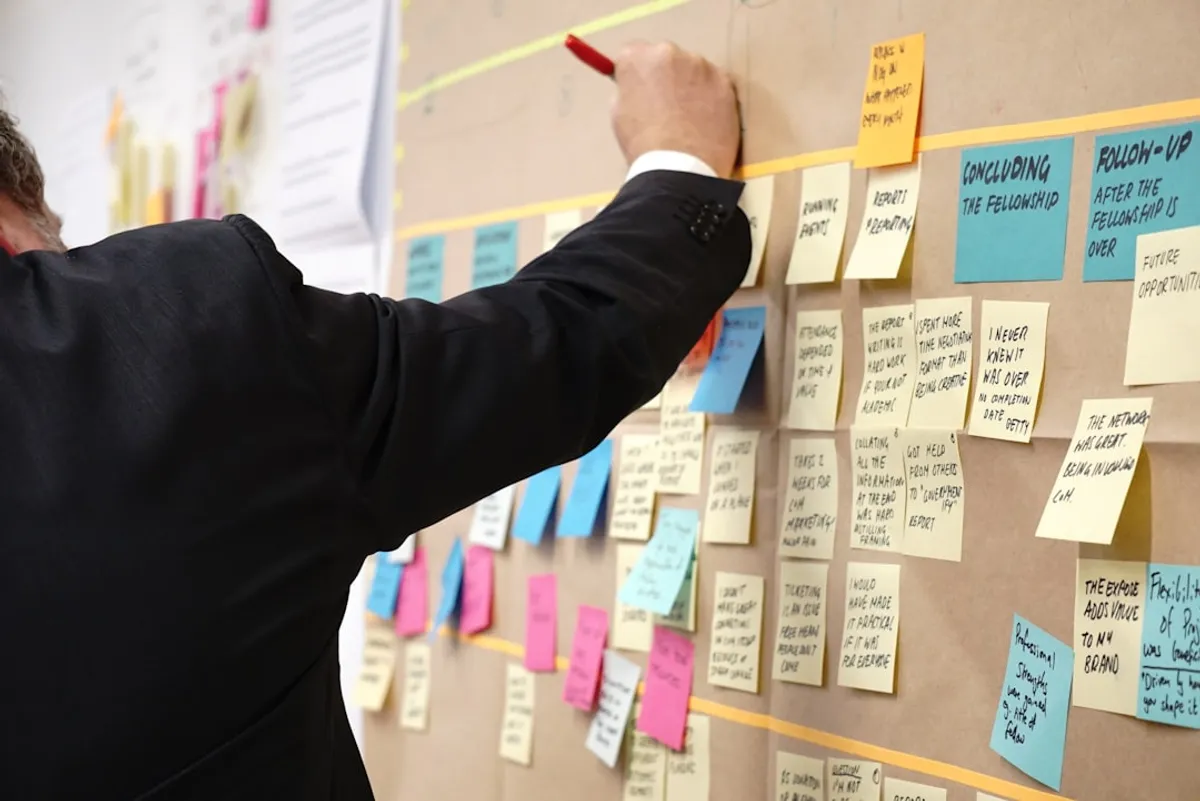
If you’re working on a software team, chances are you’ve heard of Kanban. It’s a popular method for managing work, and for good reason. It’s simple, effective, and can dramatically improve how your team delivers value. Let’s break down what it is and how to use it.
What is Kanban?
Kanban is a visual system for managing workflow. Think of it as a way to visualize your work, limit work in progress, and maximize efficiency. The core idea is to move work through a series of stages, making progress visible to everyone on the team.
The word “Kanban” itself comes from Japanese and means “visual signal” or “signboard.” Originally used in manufacturing, particularly by Toyota, it’s been adapted for software development because the principles are so transferable.
Core Principles of Kanban
There are a few fundamental ideas that make Kanban work:
- Visualize the Workflow: This is the most obvious part. You create a board with columns representing the stages of your workflow. Tasks (usually as cards) move from left to right across these columns.
- Limit Work In Progress (WIP): This is crucial. You set limits on how many tasks can be in any given column at one time. This prevents bottlenecks and encourages people to finish what they’ve started before picking up new work.
- Manage Flow: The goal is to have a smooth, predictable flow of work. By visualizing and limiting WIP, you can identify where work gets stuck and address it.
- Make Policies Explicit: Everyone on the team should understand the rules. What does “done” mean for each stage? How do tasks move? Documenting these policies helps ensure consistency.
- Implement Feedback Loops: Regularly review how the system is working. This could be through daily stand-ups or more formal retrospectives.
- Improve Collaboratively, Evolve Experimentally: Kanban isn’t about rigid rules; it’s about continuous improvement. Encourage the team to suggest and try changes to make the process better.
Building Your Kanban Board
A typical software development Kanban board might have columns like:
- Backlog: All the work that needs to be done, prioritized.
- To Do: Tasks ready to be started.
- In Progress: Tasks currently being worked on.
- Testing/Review: Tasks that are completed by a developer and are waiting for QA or a peer review.
- Done: Tasks that are fully completed and deployed.
You can customize these columns to fit your team’s specific process. For example, you might have separate columns for “Code Review,” “Staging,” and “Production.”
Here’s a simplified visual representation:
+----------+ +----------+ +----------+ +----------+ +----------+| BACKLOG |-->| TO DO |-->| IN PROG. |-->| TESTING |-->| DONE |+----------+ +----------+ +----------+ +----------+ +----------+Implementing WIP Limits
Let’s say you have a “To Do” column with a WIP limit of 5. This means only 5 tasks can be in the “To Do” state at any given time. If the “In Progress” column has a limit of 3, only 3 tasks can be actively worked on simultaneously.
Why is this so important? Imagine your “In Progress” column always has 10 tasks. It looks like you’re busy, but are you actually finishing anything? Probably not. Limiting WIP forces developers to collaborate and help each other finish tasks before starting new ones. It brings hidden problems to the surface. If the “Testing/Review” column is full, no new work can move into it, signaling a potential bottleneck in your QA or review process.
Benefits for Software Teams
Using Kanban can bring several advantages:
- Improved Visibility: Everyone can see what’s happening with the work.
- Faster Delivery: By focusing on finishing work, you reduce lead time.
- Reduced Bottlenecks: WIP limits highlight where work gets stuck.
- Increased Predictability: A smoother flow leads to more reliable delivery estimates.
- Better Teamwork: Encourages collaboration and shared ownership.
Getting Started
Don’t overcomplicate it. Start with a simple board and a few key columns. Discuss with your team what your current workflow looks like and map it out. Begin with low WIP limits and adjust as you learn. Kanban is a journey of continuous improvement, not a destination. Give it a try; you might be surprised at how much smoother your team’s work becomes.
Tags: Agile Development, Team Collaboration, Software Engineering, Project Management, Kanban