Building Fast Real-Time Analytics Pipelines

Why Real-Time Analytics Matters
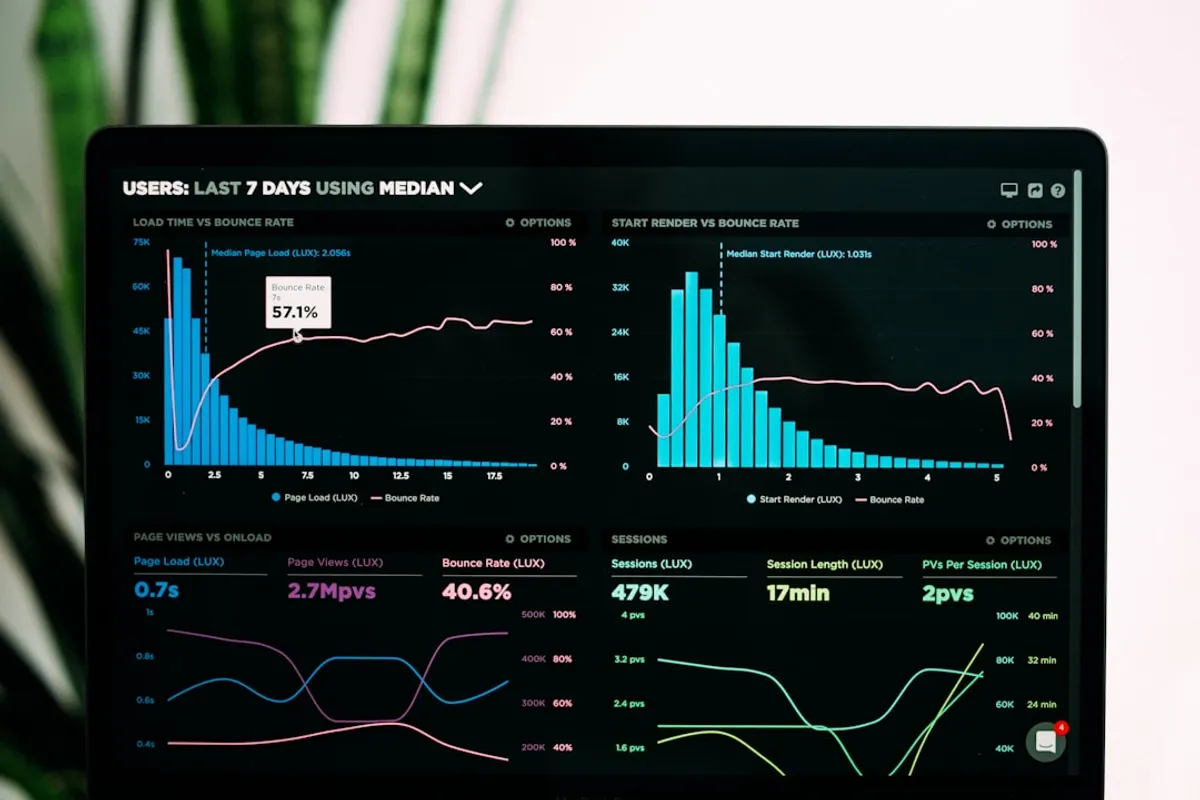
In today’s fast-paced digital world, waiting for batch reports just doesn’t cut it anymore. Businesses need to react instantly to changing customer behavior, system failures, or emerging trends. This is where real-time analytics pipelines shine. They provide up-to-the-minute insights, enabling quicker, smarter decisions.
Core Components of a Real-Time Pipeline
Think of a real-time pipeline as a high-speed conveyor belt for data. It’s not one monolithic thing, but a series of connected, specialized components:
-
Data Sources: This is where the data originates. It could be user interactions on a website, IoT sensor readings, financial transactions, application logs, or social media feeds.
-
Ingestion Layer: This is the entry point. It needs to handle a high volume of incoming data, often in various formats. Technologies like Apache Kafka, Amazon Kinesis, or Google Cloud Pub/Sub are common here. They act as a buffer, decoupling data producers from consumers.
-
Processing Layer: This is where the magic happens. Data is transformed, filtered, aggregated, and enriched. For real-time, this usually means stream processing. Apache Flink, Apache Spark Streaming, or Kafka Streams are popular choices. They process data as it arrives, rather than in batches.
-
Storage Layer: Where does the processed data go? Often, it’s not just one place. You might store raw data for auditing in a data lake (like S3 or GCS), aggregated results in a fast NoSQL database (like Cassandra or DynamoDB) for quick lookups, and perhaps time-series data in a dedicated database (like InfluxDB).
-
Serving/Visualization Layer: This is what users interact with. Dashboards, alerts, and APIs that present the insights. Tools like Grafana, Tableau, or custom-built web applications pull data from the storage layer.
Designing for Speed and Reliability
Building a real-time pipeline isn’t just about picking the right tools; it’s about thoughtful design.
Decoupling is Key: Use message queues (like Kafka) between stages. If your processing layer goes down, data still piles up safely in the queue. When it recovers, it can catch up.
Idempotency: Your processing logic should be able to run multiple times on the same data without causing issues. This is crucial for recovery scenarios. Think about how you handle duplicates. A simple INSERT might fail if retried. Using UPSERT or checking existence first can help.
State Management: Stream processing often involves maintaining state (e.g., counting events over a window). Choose a processing framework that handles this reliably, with fault tolerance. Flink, for example, has robust state management features.
Scalability: Design each component to scale independently. If your ingestion is bottlenecked, you need to scale that layer without affecting processing or storage.
Monitoring and Alerting: You must know when things go wrong. Monitor queue depths, processing latencies, error rates, and resource utilization. Set up alerts so you’re notified before users complain.
A Simple Example: Clickstream Analysis
Let’s say we want to track unique website visitors in real-time.
-
Source: Web server logs or client-side JavaScript sending events.
-
Ingestion: Kafka topic
web_clicks. -
Processing: A Flink job that reads from
web_clicks. It uses a tumbling window (e.g., 1 minute) and aHashSetto keep track of unique visitor IDs within that window. It then emits the count.// Simplified Flink Java example (conceptual)DataStream<ClickEvent> clicks = env.fromSource(kafkaSource, WatermarkStrategy.forMonotonousTimestamps(), "Kafka Source");SingleOutputStreamOperator<Long> uniqueCount = clicks.windowAll(TumblingEventTimeWindows.of(Time.minutes(1))).apply(new AllWindowFunction<ClickEvent, Long, TimeWindow>() {@Overridepublic void apply(TimeWindow window, Iterable<ClickEvent> events, Collector<Long> out) throws Exception {HashSet<String> uniqueIds = new HashSet<>();for (ClickEvent event : events) {uniqueIds.add(event.getUserId());}out.collect((long) uniqueIds.size());}});uniqueCount.addSink(kafkaSink); // Send count to another Kafka topic for dashboard -
Storage: A time-series database (like Prometheus or InfluxDB) to store the minute-by-minute counts.
-
Visualization: Grafana dashboard showing the unique visitor count over time.
Conclusion
Building real-time analytics pipelines requires a solid understanding of distributed systems, stream processing concepts, and careful architecture. By focusing on decoupling, reliability, and scalability, you can build systems that provide immediate, actionable insights, giving your organization a significant competitive edge.